Every shilling,in onedashboard.
Dashboard X brings M-Pesa, your bank and cash into a single private view. Import a statement, categorise in seconds, set budgets and know exactly what's safe to spend today.

- No bank login required
- No card needed
- Export your data anytime
Built for the accounts you actually use
- M-PESA
- Equity
- KCB
- Co-op
- Absa
- NCBA
- Cash
The problem
Your money lives in five places.Your budget lives in none of them.
M-Pesa statement here, bank app there, cash in the pocket, a Sunday-night spreadsheet that dies by Wednesday. Dashboard X is the layer that pulls it together — without asking for your bank password.
3 min
From install to full picture
Add accounts, drop in a CSV, done. No onboarding marathon.
3
Steps from CSV to clean month
File, map, review. Duplicates flagged before they land, never after.
0
Bank credentials requested
Statements in, insight out. Your logins stay yours.
100%
Yours to export
One tap to CSV. Undo any import for 30 days.
One app, four tabs
Everything you need to run yourmoney. Nothing you don't.
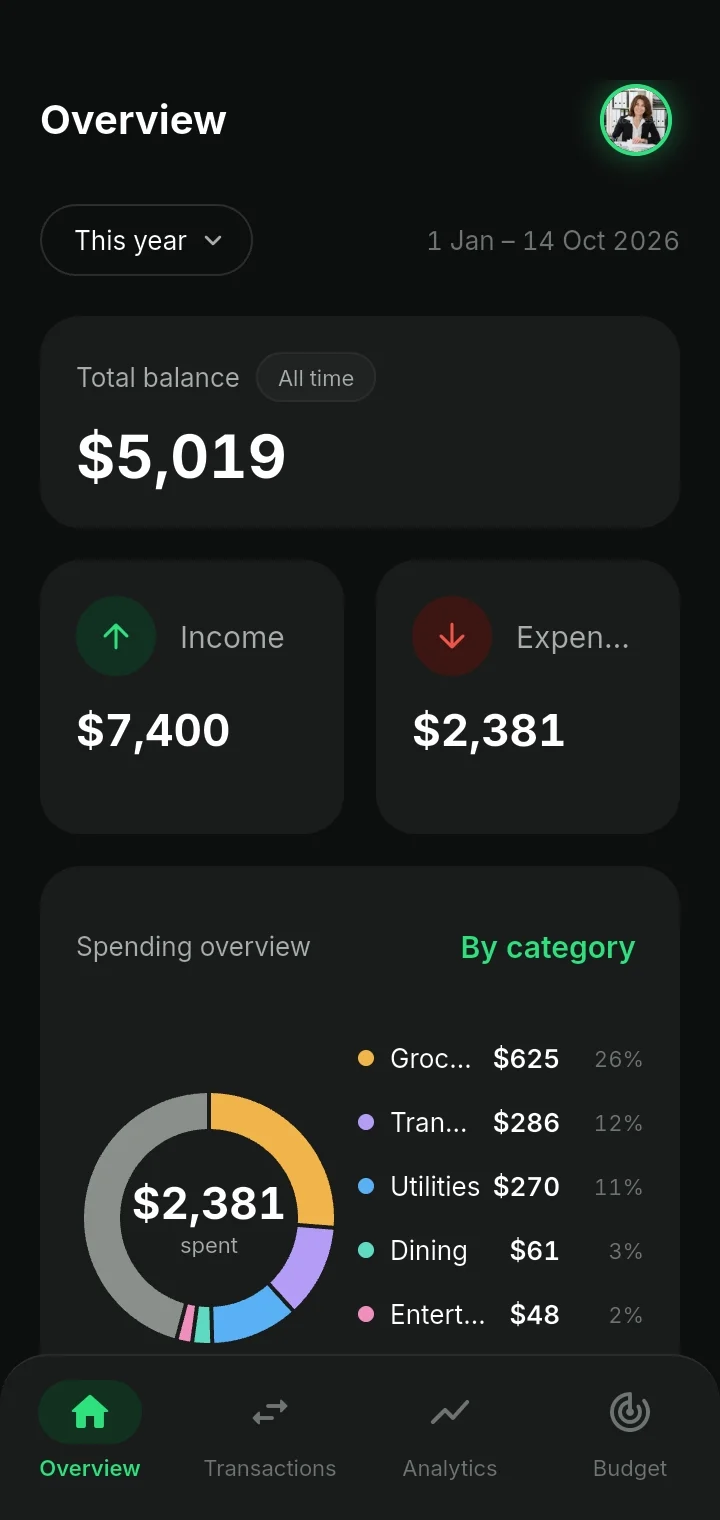
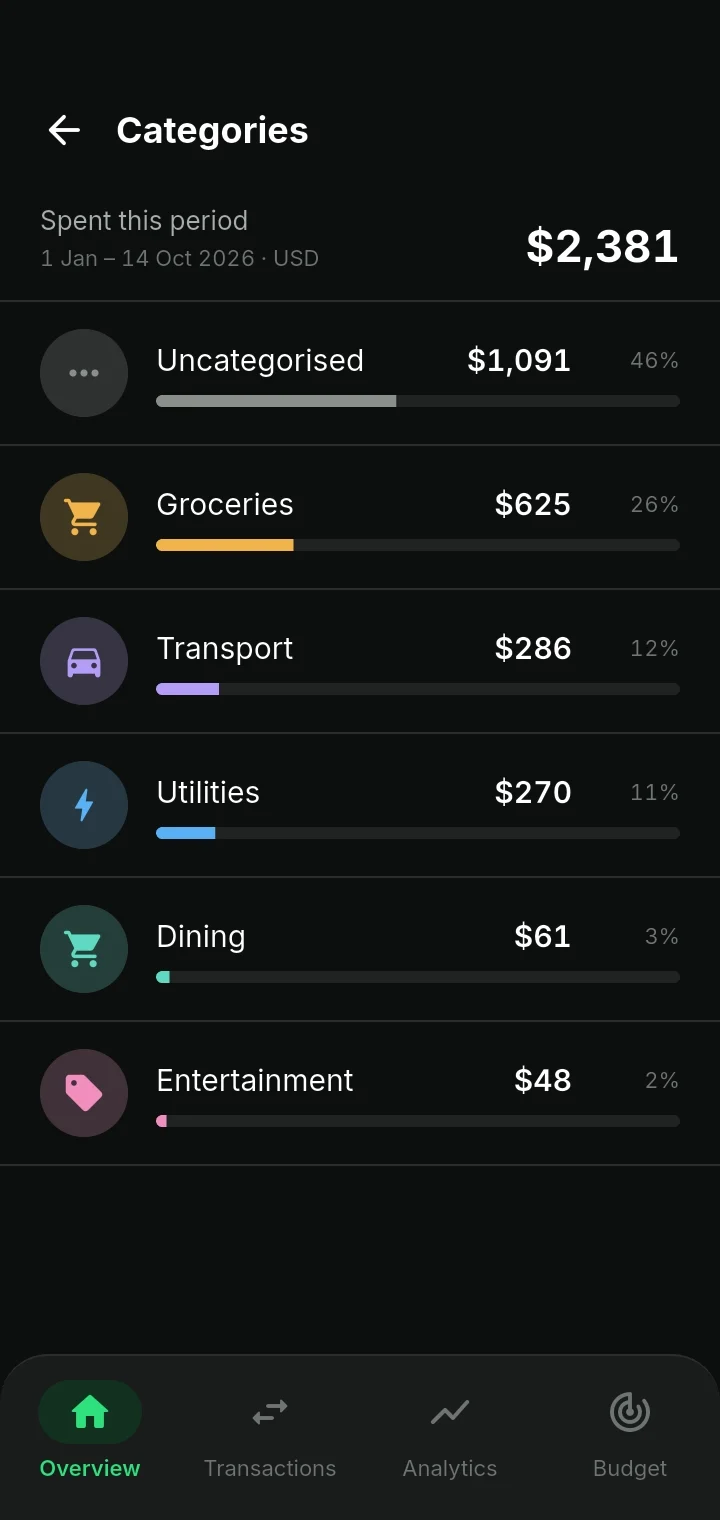
Overview — the whole picture in one scroll
Total balance, income against expenses and a category donut, with every category a tap away. The screen you check with your morning coffee.
Transactions
Grouped by day with daily totals, filtered by income, expense or transfer. Search anything. Add in two taps.
Budgets that hold
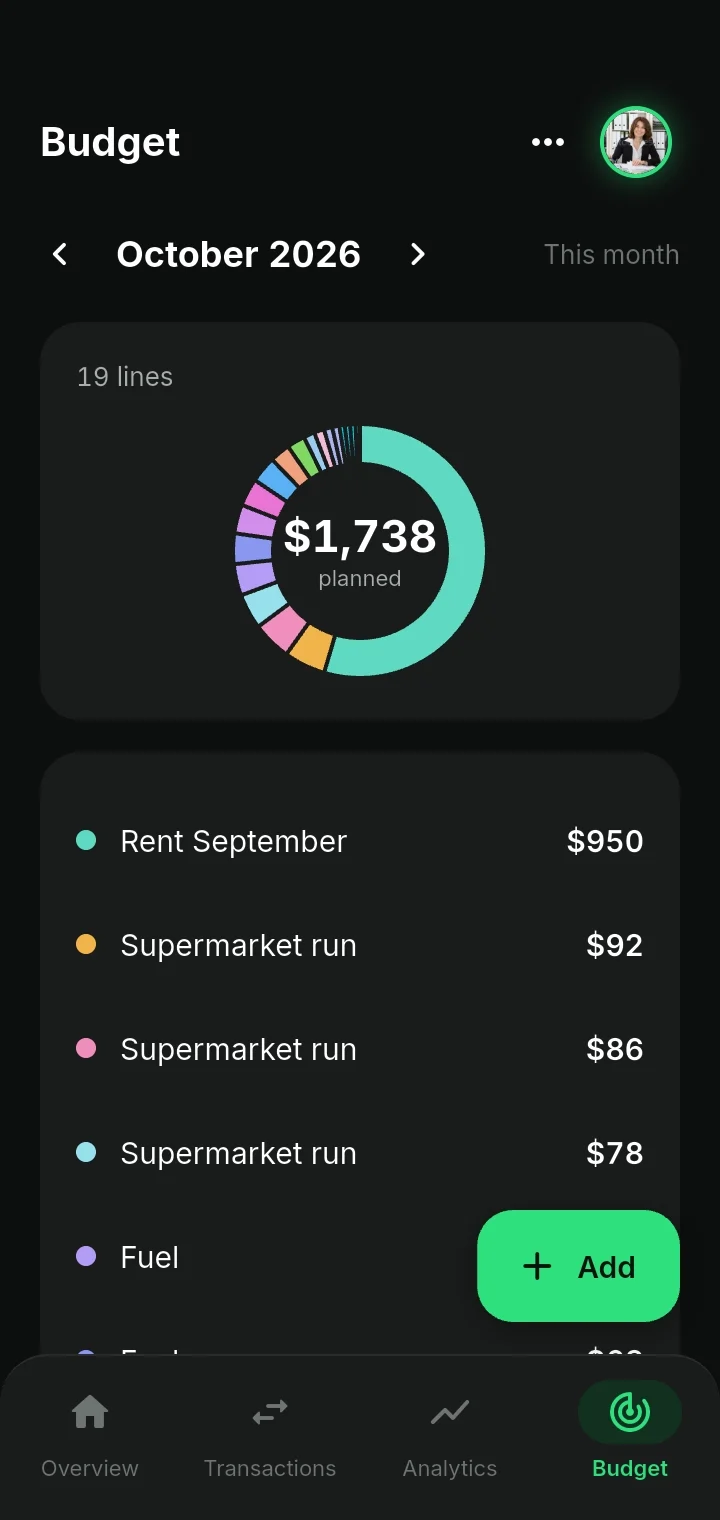
Plan the month line by line and see what's already spoken for before the month starts.
Multi-account
Bank, M-Pesa and cash side by side, each with an opening balance so totals actually reconcile.
Analytics
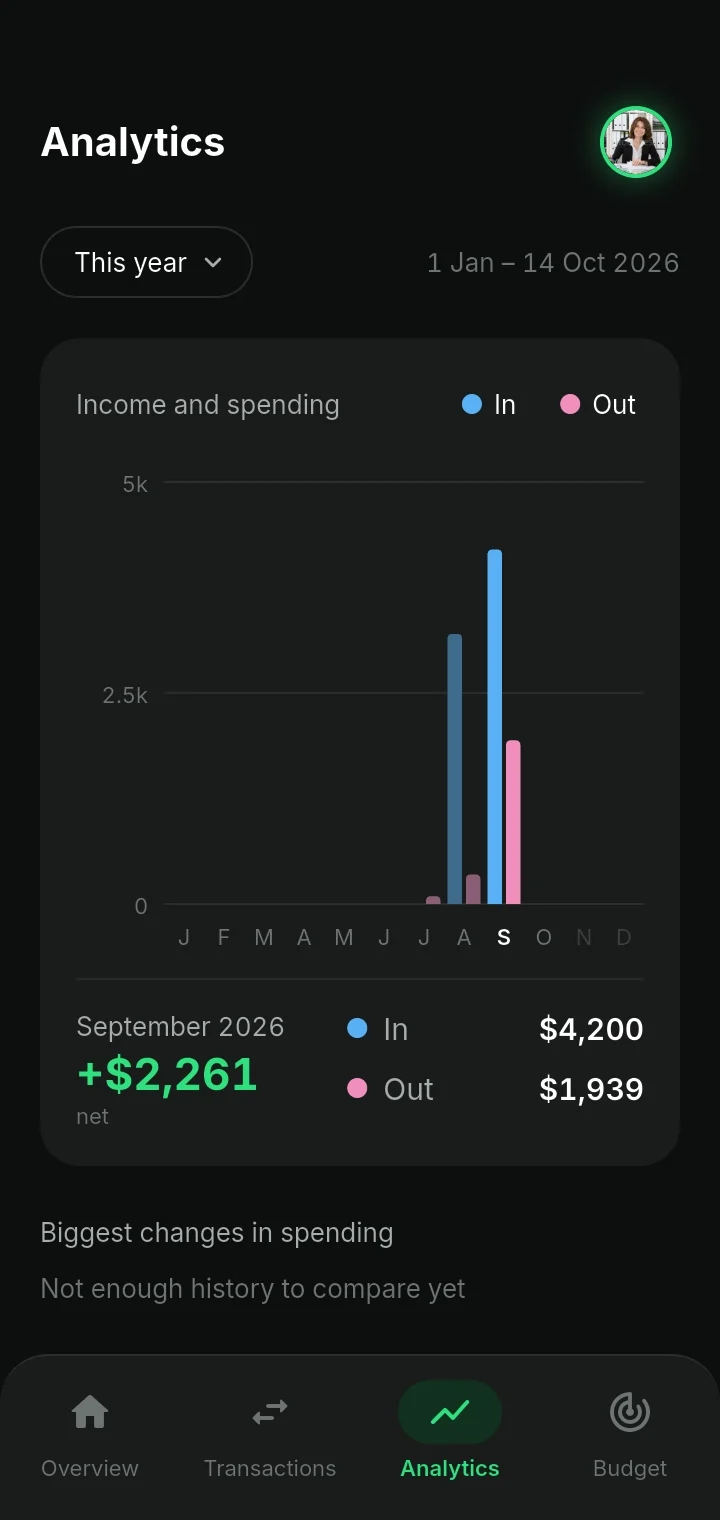
Twelve months of in-versus-out, plus the categories that moved most against last year.
Statement import
Three screensbetween a raw CSVand a clean month.
Export from your bank or M-Pesa, hand it to Dashboard X, and it does the boring part — column mapping, duplicate detection and category matching.
File
Pick the account, then any CSV your bank or M-Pesa exports, up to 5 MB.
Map
Columns are matched automatically. Correct one, it remembers for next month.
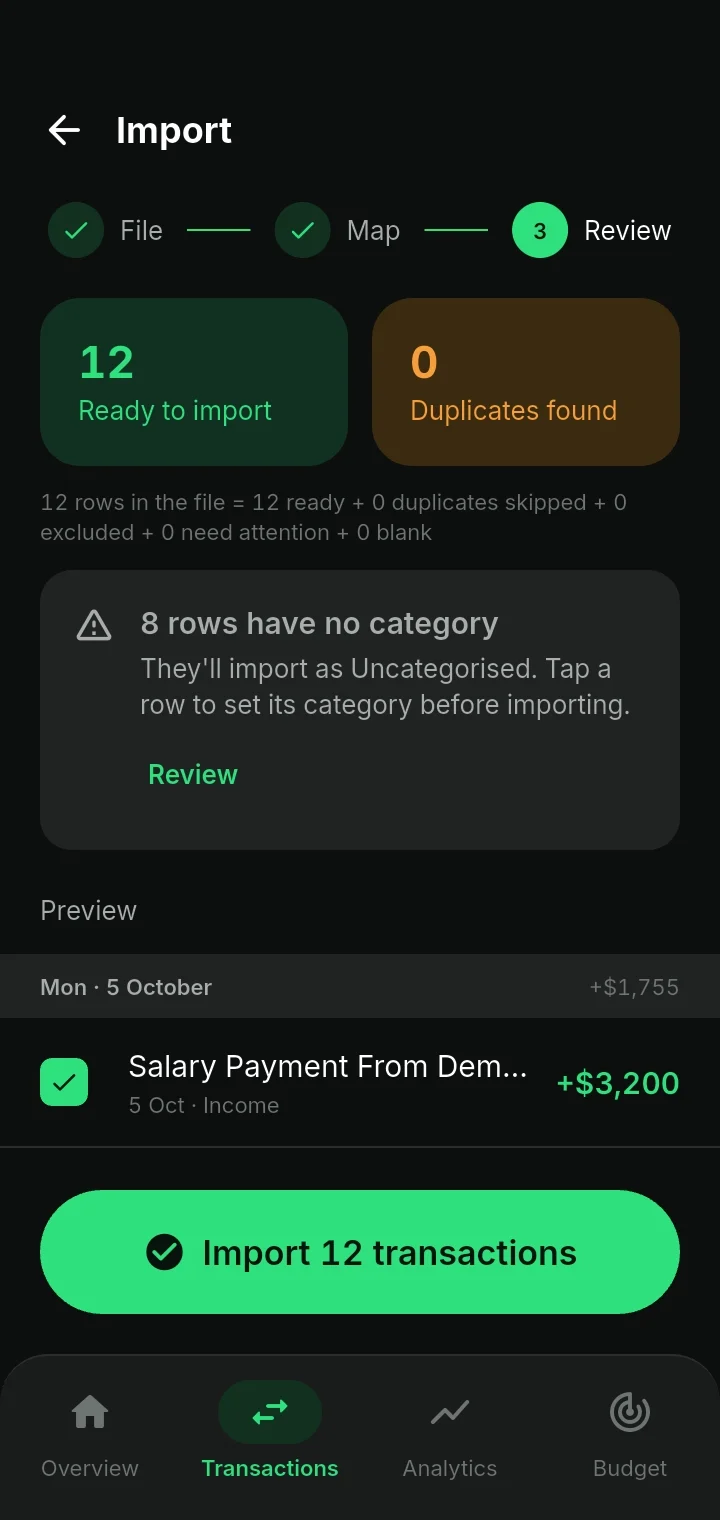
Review
Every row accounted for: duplicates skipped, uncategorised rows flagged, then all of it in one tap.
Budgets
A plan for the monthbeats a spreadsheetevery time.
List what the month holds — rent, the supermarket runs, fuel — and Dashboard X adds it up, so you know what’s spoken for before the money goes.
Analytics
The trend, not just thetotal.
A year of income against spending in one chart, each month’s net a tap away — and once you have a year of history, a plain-English list of what changed, so you find the leak before it becomes a habit.
In vs out, monthly
Twelve bars, one net figure. Spot the month that went sideways at a glance.
Biggest changes
The categories that rose or fell most, ranked against the same period last year.
Privacy
A finance app that never asks foryour bank password.
No open-banking scraper, no third-party aggregator holding your credentials. You bring the statement, the app does the work, and the data stays where you can take it back.
Your data isn’t for sale
Your transactions, accounts and budgets are yours. Nothing is sold, nothing is brokered.
Export to CSV in one tap
Leave whenever you want and take a clean file with you. No lock-in, no export fee.
Undo any import
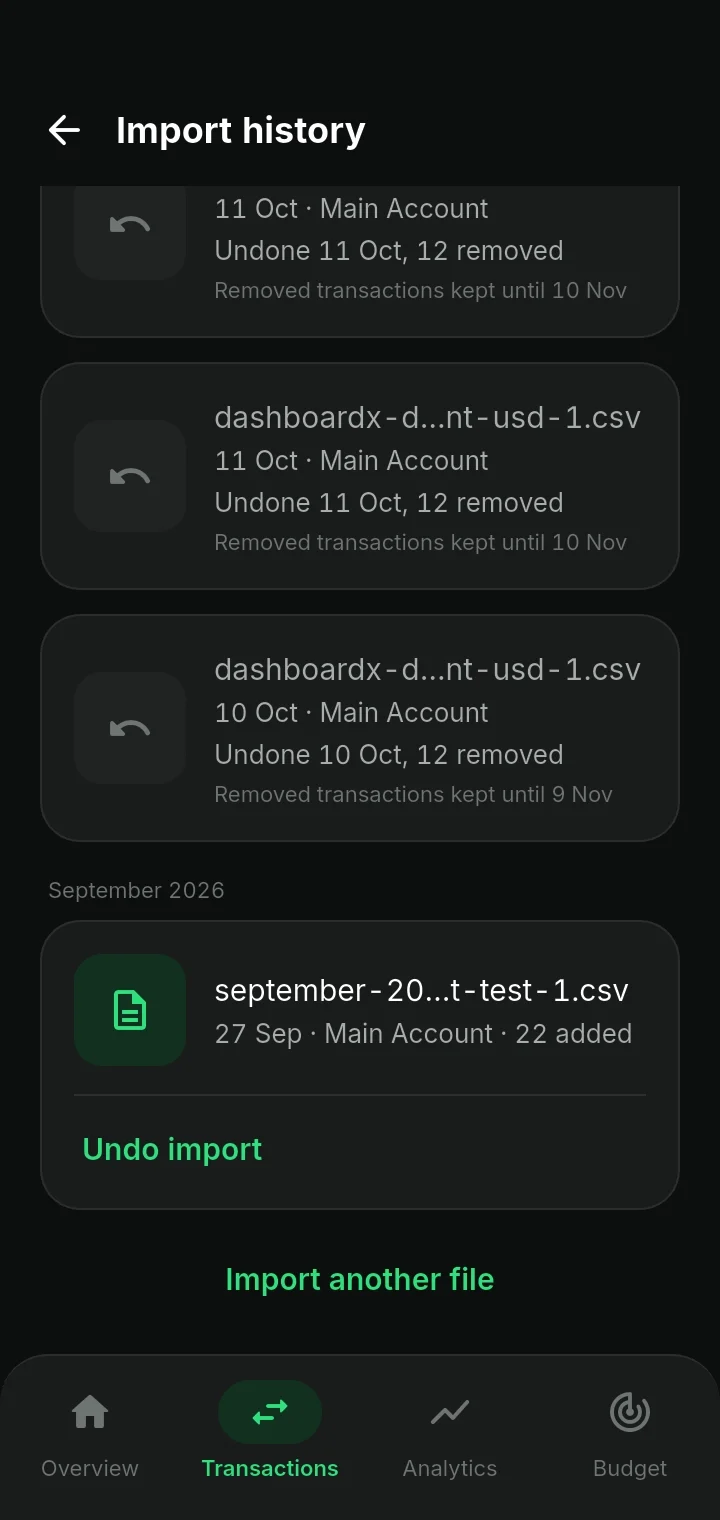
Imported the wrong month? Roll it back. Undone imports stay recoverable for 30 days.
Delete means delete
One screen, one confirmation, and your account and every record with it are gone for good.
Pricing
No price,no trial,no card.
Free
KES 0 / forever
Everything you need to see where the month went.
- One account + cash
- Unlimited manual transactions
- Monthly budgets & overview
- CSV export
FAQ
Questions people askbefore downloading.
Does Dashboard X connect to my bank?
No. You export a CSV statement from your bank or M-Pesa and import it. Your login details are never requested or stored.
Which banks and wallets work?
Any account that exports a CSV — Equity, KCB, Co-op, Absa, NCBA and M-Pesa statements are mapped automatically.
Can I track cash?
Yes. Cash is a first-class account with its own opening balance, so your totals reconcile with what’s in your pocket.
What happens if I import the wrong file?
Open Import history and tap Undo import. The batch is removed and stays recoverable for 30 days.
Is there an iPhone version?
Dashboard X is on Google Play today. Join the waitlist and we’ll email you the day iOS ships.
Know what’s safeto spend, beforeyou spend it.
Free on Google Play. Three minutes to your first clean month.
Google Play and the Google Play logo are trademarks of Google LLC.